


Recurring credit payments are some of the sneakiest expenses, because they're set-it-and-forget-it. But when you do realize that you've been paying for services or products you no longer want or need, it's past time to cancel those payments.
The exact process for how to cancel an automatic payment largely depends on who's doing the processing. We'll give you a quick explanation of how to cancel a variety of payment methods, and mention a few of the best cash back credit cards to use for the recurring payments you plan to keep.
Key Takeaways
- Try to cancel the recurring service or products directly with the merchant before reaching out to the credit card issuer processing the payments.
- If your recurring payment comes out of your bank account, you’ll need to update the account that’s issuing the charge – and you might even need the bank to issue a stop payment.
- To remove a PayPal renewal, go into your settings and remove PayPal as a payment option.
Never miss an amazing deal again + get our bonus 250+ page eBook for FREE. Join 50,000 other Canadians who receive our weekly newsletter – learn more.
What's recurring billing?
Recurring billing is when you authorize a merchant to set up automatic credit card payments or bank withdrawals for a subscription or service.
You won't receive a bill to pay each month – the merchant will charge your card or deduct the amount from your bank account until you cancel the service. But if you don't pay attention to your subscriptions and services, the monthly payments can really start to add up.
Pro tip: Schedule time every few months to go over your accounts. Itemize your subscriptions and automatic payments so you can see what you're paying for each month. Then, cancel services you don't want or need. You might be surprised at how much money you can save!
Types of recurring bills
When you think of recurring bills, you might immediately think about streaming services that you're signed up for. But it's more than that. Here are some common examples of recurring bills:
- Streaming services: Netflix, Prime, Disney+, AppleTV, Spotify
- Memberships: Gym, meal services, paid mobile apps
- Household bills: Phone, TV, cable, internet, utilities
- Loan repayments: Tax installments, "buy now, pay later" plans
You can probably see how quickly recurring billing can get out of hand if you forget to cancel services or subscriptions that you no longer need.
Cancelling recurring merchant payments
Before you call the bank or cancel your card, contact the merchant:
- Sometimes, all you have to do is sign in to your online account and head to account settings. From there, you can cancel or modify your subscription.
- If you can't cancel online, you'll probably have to call customer service. Be forewarned that many customer service representatives are authorized to offer discounts or incentives to convince you to keep your membership.
Remember: If it's a membership you really don't want, ignore the perks and savings you're offered and get them to cancel it. On the other hand, if you're only cancelling the service to save a bit of money, you might have just found a way to afford it.
If you cancel a membership or subscription, check your account after a few days to confirm the change – especially if the renewal date is close.
Cancelling recurring credit card payments
If you can't cancel through the merchant directly, you may have to ask your bank or credit card issuer to step in.
They should be able to cancel any payments going forward. If not, ask them to issue you a new card with a new number so that previously authorized payments won't go through. Keep in mind that credit card issuers usually want to know you've tried everything to get the merchant to cancel the account before getting the card issuers involved.
Remember: If you have to get a new card with a new number, you'll need to update your billing information for the recurring payments you want to maintain.
Cancelling recurring bank payments
If your recurring payments are from your bank account, things get a little more difficult.
You'll need to ask your bank to issue a stop payment. Banks typically won't guarantee that they can stop payments in time, so it's not an ideal solution. You'll also need to ask whether they're stopping all payments or just the next one. Some banks can stop payments for up to a year.
Since each bank handles stop payments differently, your best bet is to call the bank or go into a branch for details. To get you started, here's a summary of what major Canadian banks charge and how long a stop payment may last:
| Bank | Stop payment fee | How long does the stop last? |
|---|---|---|
| BMO | * $35 per request or renewal | Timeframe not disclosed by BMO |
| CIBC | * Full details provided: $12.50 * Full details not provided: $20 | 12 months |
| RBC | * Online: $12.50 * At a branch or on the phone: $25 | 6 months |
| Scotiabank | * Details complete: $12.50 * Details incomplete: $20 | Chosen duration: 1 payment, the next 6 months of payments, or all payments to the merchant for 3 months |
| Simplii | * Full details provided: $10 * Full details not provided: $16.50 | Timeframe not disclosed by Simplii |
| Tangerine | 1 free payment per year, $12.50 each thereafter | 1 time |
| TD | * Not disclosed by TD | Timeframe not disclosed by TD |
The takeaway: Unless you're authorizing utility payments that must be through your bank, stick to a credit card for recurring bills. If you run into issues, it's much easier to get a new card number than a new bank account.
Cancelling recurring PayPal payments
PayPal's website makes it pretty easy to stop recurring payments. Here's what you need to do:
- Log in and open "Settings."
- Select the "Payments" tab.
- Click "Automatic payments" or "Subscriptions and saved businesses."
- Choose the merchant, cancel the automatic payment, and change the backup payment method.
You can also see inactive accounts from the "Payments" tab. Once you've cancelled a payment, it should show up here.
Tips for managing recurring credit card payments
Recurring payments can be a huge help in managing your finances, especially if you're someone who struggles to remember when bills are due. However, it's easy to forget when money will be coming out of your account, so it's still important to budget.
Here are some tips for success in setting up and managing automatic payments.
- Track all of your recurring payments and subscriptions. There are several apps that track all of the subscriptions linked to a credit card, so you can easily see all of them in one place and categorize your purchases.
- Set up recurring payments with just 1 credit card. It's easier to track and make changes to an account if you're using the same credit card across all recurring payments. Ideally, you're using a credit card that gives bonus rewards for recurring payments or streaming subscriptions.
- Keep your information current. Just because you can set up automatic payments doesn't mean you'll never have to keep an eye on the account. Update your contact details if your address changes, you switch your email or phone number, or you get a new credit card.
- Set up alerts to remind you that payment is almost due or has been processed. This is especially important if you might not have enough money in your bank account to cover the payment.
- Audit your subscriptions regularly. The more often you review your subscriptions and recurring payments, the better. This way, you won't forget that you're paying for something or a service you no longer want.
Best credit cards for recurring bills
Once you've got a handle on your subscriptions, consider how you want to pay recurring bills you're keeping. Paying by credit card is probably the easiest and you could earn rewards. (Some even offer bonuses for recurring bill payments).
Here are some of the best credit cards for paying for your monthly bills and subscriptions.
| Category | Credit card | Current offer | Average earn rate | Annual fee and income requirements |
|---|---|---|---|---|
| Best credit card for recurring bills | Neo World Elite Mastercard - Gas & Grocery |  $25 GeniusCash + $100 bonus cash back, first year free (terms) $25 GeniusCash + $100 bonus cash back, first year free (terms) | 2.55% | * $149 $80,000 $150,000 |
| Best for cash back on recurring bills | Scotia Momentum Visa Infinite + Card | $175 GC Boost + 15% cash back for the first 3 months, first year free (terms) | 2.08% | * $120 $60,000 $100,000 |
| Runner-up for cash back on recurring bills | BMO CashBack World Elite Mastercard | $150 GeniusCash + Up to $480 cash back in the first year, first year free (terms) | 2.02% | * $139 $80,000 $150,000 |
| Best no-fee card for recurring bills | Tangerine Money-Back World Mastercard | $75 GeniusCash + $120 (terms) | 1.14% | * $0 $50,000 $80,000 |
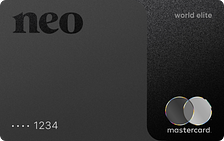
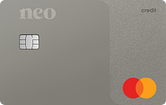
Best credit card for paying recurring bills: Neo World Elite Mastercard - Gas & Grocery
 ×3 Award winner
  GC: $25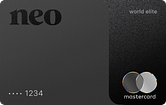
 3x Award winner
 The Neo World Elite Mastercard - Gas & Grocery offers a high rate of return on almost all recurring bill payments, including digital media, memberships, and household utilities.
Here's what we love about it:
- Earn an average of 5% cash back at Neo retail partners
- Earn up to 5% cash back on purchases
- Redeem your cash back whenever you want
- Includes 12 types of insurance
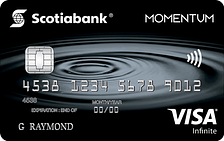
Best cash back credit card for paying recurring bills: Scotia Momentum Visa Infinite + Card
×2 Award winner GC: $100 + $75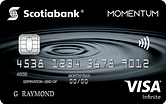
 2x Award winner
 There's an excellent cash back credit card when it comes to earning rewards on recurring bills: the Scotia Momentum Visa Infinite + Card. You'll earn up to 4% back on recurring bills that you pre-authorize for payment on your card. Plus, there's a pretty nice welcome bonus included for a limited time.
Here's what else you'll earn cash back on:
- 4% cash back on groceries and recurring bill payments
- 2% cash back on gas, transit, rideshares, and food delivery
- 1% cash back on all other purchases
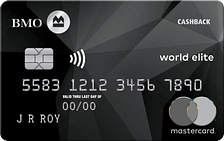
Another top cash back credit card: BMO CashBack World Elite Mastercard
×1 Award winner GC: $150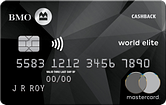
 1x Award winner
 The BMO CashBack World Elite Mastercard makes it easy to earn cash back – you'll earn cash back on up to $500 in monthly spending for specific categories. Unlike with some cash back cards, you can redeem your BMO rewards whenever you like. Oh, and you'll get roadside assistance with this card at no extra cost.
Here's the full rundown of the cash back rewards:
- 5% cash back on groceries, up to $500 in monthly spend*
- 4% cash back on transit, up to $300 in monthly spend*
- 3% cash back on gas, up to $300 in monthly spend*
- 2% cash back on recurring bills, up to $500 in monthly spend*
- 1% cash back on all other purchases*
Best no-fee credit card for paying recurring bills: Tangerine Money-Back World Mastercard
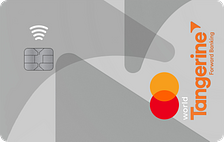
If you want a no annual fee credit card for paying bills, the Tangerine Money-Back World Mastercard is an excellent choice. You'll choose which categories earn you 2% cash back:
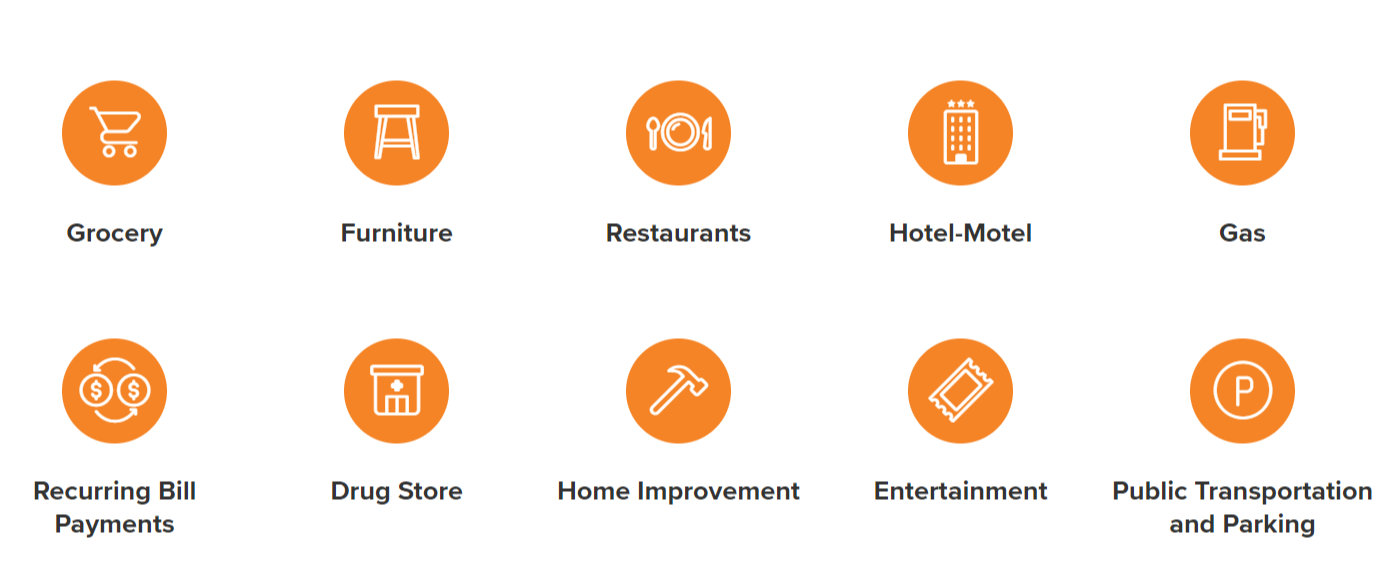
There are no spending caps, and you'll still earn 0.5% cash back on non-selected category purchases.
FAQ
Can you set up recurring payments on a credit card?
It's up to the merchant or service provider to decide if you can set up recurring payments. But it's a pretty widespread practice, since it means companies receive steady payment. If you're not sure whether a certain company accepts recurring payment, contact their customer service team.
Is it a good idea to put recurring payments on a credit card?
If you're able to charge recurring payments and pay them off promptly, then yes, putting recurring payments on a credit card can be a great idea. With the right card, you'll earn rewards or cash back, essentially giving you a discount on your regular purchases.
Can you tell me how to cancel an automatic payment?
You should start by cancelling the payment directly through the merchant. If for some reason that doesn't work, reach out to your credit card issuer or bank and tell them to put a stop payment on the transaction.
What's the best cash back credit card for recurring payments?
The Neo World Elite Mastercard - Gas & Grocery is the best credit card for recurring payments since you'll earn 4% cash back. That can add up fast if you're paying for utilities, streaming services, or monthly memberships. Plus, you'll earn up to 5% back with Neo partners.
creditcardGenius is the only tool that compares 126+ features of 250 Canadian credit cards using math-based ratings and rankings that respond to your needs, instantly. Take our quiz and see which of Canada's 250 cards is for you.

 GC:
GC: 


















Comments
Leave a comment
Required fields are marked with *. Your email address will not be published.
Showing 2 comments
You can request the merchant to cancel your subscription. If this doesn't work, you might need to contact your credit card issuer to cancel the payments moving forward, or reach out to your bank to initiate a stop payment.