


Air Canada eUpgrades allow you to upgrade your seat on most Air Canada and Air Canada-operated flights to the Business or Premium Economy cabin without paying a cent.
eUpgrades are reserved for Aeroplan members using eUpgrade credits, which you can earn by buying Flight Passes, flying Air Canada, and gaining or maintaining Elite Status membership.
Key Takeaways
- Aeroplan members can use eUpgrade credits to request an upgrade to Business or Premium Economy Class on Air Canada and Air Canada-operated flights.
- Aeroplan members earn eUpgrade credits by buying Flight Passes, flying Air Canada, and gaining or maintaining Elite Status membership.
- The cost of an eUpgrade depends on your original flight class, your destination, and the length of your trip.
- Aeroplan Elite Status members can request an eUpgrade up to 14 days before the departure date.
- An Aeroplan credit card can help you earn Aeroplan Points, enjoy VIP perks, and qualify for 25K Elite Status membership.
Never miss an amazing deal again + get our bonus 250+ page eBook for FREE. Join 50,000 other Canadians who receive our weekly newsletter – learn more.
What are Air Canada eUpgrades?
Air Canada eUpgrades are yet another perk of one of Canada's best rewards programs. Imagine enjoying your Air Canada or Air Canada-operated flight in Business or Premium Economy Class – for discounted or zero fees!
Like Aeroplan Points, only Aeroplan members can earn and spend eUpgrade credits. The biggest difference between the two is what you can spend them on:
- You can earn Aeroplan Points by buying Air Canada flight fares and flight-related services, and/or by using an Aeroplan credit card (more on that later). Aeroplan Points are redeemable for 6 types of rewards, including gift cards, merchandise, and flights.
- You can earn eUpgrade credits by buying Air Canada Flight Passes and climbing Aeroplan membership levels. The credits are only usable for eUpgrades on Air Canada, Air Canada Express, or Air Canada Rouge flights.
You can see how many eUpgrade credits you have by logging into the Aeroplan app or website, clicking on "My Aeroplan," and selecting the "Benefits" tab.
Business and Premium Economy benefits
An Air Canada eUpgrade can get you everything from a larger seat to access to the award-winning Maple Leaf Lounges. While not available for every flight, the luxurious trappings of Premium Economy and Business Class can include:
- An adjustable headrest (Business only)
- Ambient mood lighting and individual reading light
- Larger seats with more recline, extra legroom, and in-seat power outlets
- Premium meal menu
- Priority boarding, check-in, and baggage handling, plus 2 free checked bags
- Touchscreen television, on-demand entertainment, and complimentary earbud headset
- Complimentary all-inclusive meal tray and bar service (Business only)
- Exclusive full-service check-in counter, priority security clearance, and zone 1 boarding (Business only)
- Guaranteed access to a window or aisle (Business only)
- Priority baggage handling (Business only)
- Maple Leaf Lounge access (Business only)
How to get Air Canada eUpgrade credits
Only Aeroplan members with Elite Status can earn eUpgrade credits.
The higher your membership level, the more credits you earn. Here are the ways to earn eUpgrade credits:
- 1. Core benefits: Aeroplan Elite Status entitles you to automatically get between 5 and 30 eUpgrade credits (depending on your status tier) at the beginning of every year.
- 2. Milestone benefits: You can choose from a list of Milestone benefits, including 10 – 20 eUpgrade credits (depending on SQC)
- 3. Eligible Flight Pass Activities: Purchase an eligible Flight Pass with 6 – 20 flight credits, OR use 10+ flight credits on a Flight Pass for Business or Large Corporations, OR purchase an Unlimited Flight Pass.
How to use eUpgrade credits
The cost of an eUpgrade depends on a few factors:
- The class and cost of your base fare
- The length of your flight
- The region you're flying to
The Air Canada eUpgrade tool can show you exactly how many credits you need to upgrade your flight ticket. You can also jump right into the eUpgrade request process – the Air Canada website will also show you how many credits and/or dollars an eUpgrade will cost before you commit.
Note: We say "request" because eUpgrades aren't guaranteed. Air Canada posts a limited number of eUpgrades per flight, and higher Aeroplan Elite Status members get priority access to what's available.
Depending on your membership level, your "clearance window" – the number of days before a flight in which you can request an eUpgrade – ranges from 3 days to "any time."
| Destination and original fare | Free member | 25K | 35K | 50K | 75K | Super Elite |
|---|---|---|---|---|---|---|
| All flights in Latitude or Premium Economy (Flexible) | 7 days | Anytime | Anytime | Anytime | Anytime | Anytime |
| North America/sun destinations in Standard, Flex, Comfort, or Premium Economy (Lowest) | N/A | 4 days | 8 days | 10 days | 12 days | 14 days |
| International in Standard, Flex, Comfort, or Premium Economy (Lowest) | N/A | 3 days | 4 days | 5 days | 6 days | 7 days |
You'll notice there's a "Free member" clearance window even though free members can't earn eUpgrades. This is because free members may have existing eUpgrade credits. You can still use these credits even after you've lost your status. However, you can only use them to book Latitude or Premium Economy (Flexible) fares, and you can't spend your credits on a travel companion.
How to make an eUpgrade request
You can make an eUpgrade request ahead of time in 5 easy steps:
- 1. Sign in to the eUpgrade portal using your Aeroplan account info.
- 2. Click the "My Bookings" tab, enter your booking reference/ticket number and last name, and then click "Find."
- 3. Click the "eUpgrade" button and review the cabin and cost options. Tick the box under the upgraded cabin you'd like and click "Continue."
- 4. Review your eUpgrade request, including the cost in credits (and fees, if applicable), and then enter your email and click "I accept, purchase."
- 5. Check your email for confirmation that your request was received.
Air Canada's booking system will remove the necessary eUpgrade credits from your account and make the request once your clearance window opens. If the request is successful, you'll receive a follow-up email. If it's not, the eUpgrade credits should reappear in your account within 72 hours.
You can request a last-minute eUpgrade on the day of your flight when you check in online, on your mobile device, at an airport kiosk, or at the check-in counter.
eUpgrade expiry dates and restrictions
Aeroplan recently simplified the expiry dates for eUpgrades. If you earned the credits as part of your status benefits, they are valid for 12 months after issue. If you're an Aeroplan cardholder, you'll get an additional 12 months before they expire.
Also, keep in mind:
- If you're travelling with a pet, you can only select an eUpgrade to Business Class. Pets aren't allowed in Premium Economy cabins.
- You can only earn Aeroplan Points on your original fare.
- You must contact Air Canada directly to cancel a successful eUpgrade request.
- You must contact Air Canada directly to purchase eUpgrades for 3 or more travelling companions.
Unless your request was unsuccessful, eUpgrade credits usually aren't refundable. Plus, you can't request an eUpgrade if no Business or Premium Economy seats are available, if you're flying Basic Economy, or if you're flying on a non-Air-Canada-operated partner airline.
How to get Aeroplan Elite Status
There are just 2 ways to improve your Aeroplan Elite Status membership: flying with Air Canada and/or using an Aeroplan credit card.
Aeroplan Elite Status members don't just earn eUpgrade credits faster and get priority upgrade requests – Super Elite members can also make eUpgrade requests on behalf of 1 nominee per year, even if they are on separate reservations.
Flying with Air Canada or Star Alliance
Fortunately, as of January 2026, you only need to earn Status Qualifying Credits (SQC) or Everyday Status Qualification (more on that in the following section) to achieve Aeroplan Elite Status. SQCs are based on the amount you pay for a fare.
Prior to 2026, Air Canada required you to earn a specific number of Status Qualifying Miles (SQM), Status Qualifying Segments (SQS), Status Qualifying Dollars (SDS), or Everyday Status Qualification (ESQ). If that sounds confusing, it's because it was.
Aeroplan is designed to benefit frequent flyers the most. To advance your membership, you must spend a minimum amount of Status Qualifying Credits (SQC) within 1 calendar year.
Qualifying dollars come from:
- Purchasing flights on Air Canada, Air Canada Express, Premium Rouge, or a Star Alliance partner airline
- Booking Air Canada vacation packages
- Booking travel on the Aeroplan travel platform
- Buying e-Upgrade add-ons
Each Elite Status membership level is named after the number of credits you must earn to qualify:
| Elite Status | Status Qualifying Credits (SQC) |
|---|---|
| 25K | 25,000 SQC |
| 35K | 35,000 SQC |
| 50K | 50,000 SQC |
| 75K | 75,000 SQC |
| Super Elite | 125,000 SQC |
Once you qualify for the next membership level, you'll typically receive 10 eUpgrade credits. Advanced levels give you the opportunity to choose from Milestone Benefits like:
- Bonus Aeroplan points
- Priority Reward vouchers
- Maple Leaf Lounge passes
- Bonus SQCs
- Car and hotel redemption discounts
- Discounts on merchandise and gift card redemptions
Remember: Basic Economy flights don't earn SQCs. You must purchase an Economy Flex fare or higher.
Making everyday purchases
Travel isn't the only way you can earn status with Aeroplan. Air Canada allows you to earn Everyday Status Qualification (EDQ) that counts toward elite status. You'll get 1 EDQ per 1 Aeroplan point that you earn with Aeroplan partners.
For instance, you can earn EDQ for purchases on the Aeroplan eStore or with partners like Uber and Journie Rewards.
Once you've racked up 100,000 EDQ in a calendar year, you'll be granted Aeroplan 25K Status and enjoy its Core Benefits. That said, you won't get Milestone Benefits unless you hit SQC Milestones.
Every 10,000 SQC you earn gets you access to Milestone Benefits. Some tiers automatically give you these rewards, but others allow you to choose from specific benefits.
Use an Aeroplan credit card
Those with Aeroplan credit cards can earn up to 1,000 SQC for every $5,000 spent on their card, which can help you gain status even faster. This rate is for the more premium cards, though – more basic cards earn 1,000 SQC per $20,000 spent.
At the same time, you'll continue to earn Aeroplan Points.
Earning Aeroplan Points is more flexible than earning qualifying dollars, flights, or miles. You can earn points on:
- Air Canada and/or Star Alliance flights and flight-related services
- Air Canada hotel reservations, rental cars, and vacation packages
- Points conversions from other reward programs
- Points purchases or boosts
- Purchases via the Aeroplan eStore
- Purchases with an Aeroplan credit card
- Linking accounts and paying bills through Chexy
Aeroplan credit cards earn Aeroplan Points faster – especially when combined with one of the methods above. Plus, select premium Aeroplan credit card holders can hold onto their eUpgrade credits for up to 2 years after the original earning date.
For example, the TD Aeroplan Visa Infinite Privilege Card earns 1.5 Aeroplan Points for every $1 spent on gas, groceries, restaurants, and travel. Fly Air Canada, and you'll get 1 free checked bag, priority boarding, priority check-in, and unlimited Maple Leaf Lounge access – all without Elite Status membership!
 ×3 Award winner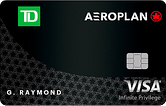
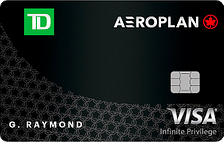
Aeroplan partners with American Express, CIBC, TD, and Visa to offer a range of credit cards for different travellers and budgets. Here are some of our top picks:
| Credit card | Air Canada-specific rewards | Aeroplan rewards | Annual fee | Genius rating |
|---|---|---|---|---|
| TD Aeroplan Visa Infinite Privilege Card | 2 points per $1 spent with AC | Up to 1.5 points per $1 spent | $599 | 4.2 |
| CIBC Aeroplan Visa Infinite Privilege Card | 2 points per $1 spent with AC | Up to 1.5 points per $1 spent | $599 | 3.9 |
| American Express Aeroplan Reserve Card | 3 points per $1 spent with AC | Up to 2 points per $1 spent | $599 | 3.4 |
FAQ
What is an eUpgrade on Air Canada?
An eUpgrade is an Air Canada benefit extended to Aeroplan Elite Status members. Qualifying Elite Status members can exchange eUpgrade credits for upgrades to Business or Premium Economy cabins on Air Canada, Air Canada Express, and Air Canada Rouge flights.
How do Air Canada eUpgrades work?
As an Aeroplan Elite Status member, you earn eUpgrade credits every year that you can redeem for cabin upgrades on Air Canada flights. Log in to your Aeroplan account and select one of your bookings to see whether eUpgrades are available.
How much does an Air Canada eUpgrade cost?
There isn't a dollar value, but the number of eUpgrade credits you need for a cabin upgrade depends on the fare you bought, where you're travelling, the flight distance, and the cabin you wish to upgrade to. Log in to your account to see your options.
How does an eUpgrade waitlist work?
If instant upgrades aren't available or you're booking within 36 hours of the flight, your eUpgrade request is waitlisted. Your request will be assessed at the airport directly before your flight, but as long as seats are available, you'll always be given the best available seat.
creditcardGenius is the only tool that compares 126+ features of 250 Canadian credit cards using math-based ratings and rankings that respond to your needs, instantly. Take our quiz and see which of Canada's 250 cards is for you.






 GC:
GC: 




























Comments
Leave a comment
Required fields are marked with *. Your email address will not be published.