


Click to Pay is an online checkout system that lets you pay with an eligible credit card without typing in your card details every time.
While Click to Pay isn't available universally, you'll find it through many credit card issuers, including Scotiabank and RBC. There are also other ways to make secure purchases online without entering your card details, such as Apple Pay, Google Pay, and virtual card numbers.
We'll walk through Click to Pay, highlight popular Click to Pay cards, and cover your alternatives.
Key Takeaways
- Click to Pay bypasses needing to enter credit card info, speeding up online purchases.
- Visa, Mastercard, and Amex support Click to Pay, as do several major Canadian banks.
- Click to Pay adds security to online purchases, but so do alternatives like virtual cards and digital wallets.
Never miss an amazing deal again + get our bonus 250+ page eBook for FREE. Join 50,000 other Canadians who receive our weekly newsletter – learn more.
What Is Click to Pay?
Online shopping is convenient right up until checkout asks you to find your wallet, type in 16 digits, enter the expiry date, squint at the tiny security code, and confirm that yes, your billing address is still your billing address.
Click to Pay is one of several ways you can simplify that routine. Think of it as the online equivalent to tapping your card in a store.
Once your card is set up for Click to Pay, you simply look for the Click to Pay icon at participating retailers, verify that it's you, choose your card, and complete the purchase.
Here's what the icon looks like:

Instead of every retailer creating its own saved-card system, Click to Pay creates a more consistent checkout experience across participating websites. Your eligible cards can be stored in your Click to Pay profile, so you don't have to repeatedly type your card number and other payment details.
It also isn't limited to a single bank or payment network. It's available with many of the credit cards available in Canada, whether from Visa, Mastercard, or American Express.
How to use Click to Pay
Using Click to Pay is simple:
- Ensure Click to Pay is enabled on your credit card. Some issuers allow you to sign up from your mobile or online banking account, or you can sign up directly through Visa, Mastercard, or Amex.
- Look for the Click to Pay icon at checkout.
- Enter your email address or mobile phone number to access your profile.
- Verify your identity if prompted.
- Choose your card.
- Complete your purchase.
Click to Pay uses security measures like tokenization, encryption, identity verification, and fraud monitoring to help protect your payment information.
Still, no digital transaction is 100% guaranteed to be safe, so it's important to keep basic online shopping safety in mind by:
- Only shopping on websites you trust
- Checking you're on the retailer's legitimate website
- Not using Remember Me on public or shared devices
- Avoiding unsecured public Wi-Fi when possible
- Never sharing verification codes
- Turning on transaction alerts to catch suspicious purchases quickly
Click to Pay credit cards
Many of Canada's credit card issuers offer Click to Pay. It's available on all 3 major networks: Visa, Mastercard, and American Express. But it's not quite universal just yet.
Currently, Click to Pay is available through RBC, Scotiabank, BMO, and TD. As of October 2026, Click to Pay is also available for CIBC and Simplii Financial.
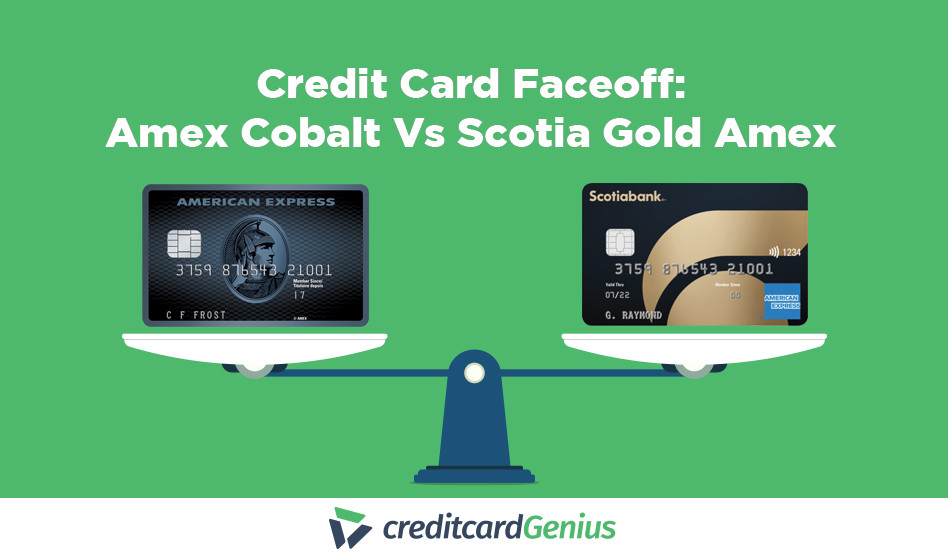
There are plenty of cards available for those looking to simplify online shopping with Click to Pay, including:
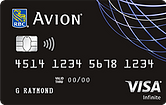
RBC Avion Visa Infinite
 ×2 Award winner
 Up to 70,000 points + Up to 2.33% return on purchases.*
 2x Award winner
 Up to 70,000 points + Up to 2.33% return on purchases.*
The RBC Avion Visa Infinite combines Click to Pay with a focus on flexible travel rewards. For a modest $120 annual fee, this card earns:
- 1.25 points per $1 spent on travel
- 1 point per $1 spent on all other purchases
This card seems even sweeter when you consider the 12 types of insurance.
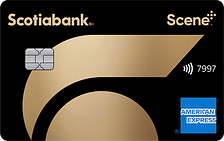
Scotiabank Gold American Express Card
×3 Award winner  $200 GC Boost + Up to 50,000 bonus points + No foreign exchange fees.*
 GC: $100 + $100
 3x Award winner
 The Scotiabank Gold American Express Card is another Click to Pay option with especially strong everyday rewards.
And while the $120 annual fee isn't tiny, it does earn you:
- 6 Scene+ points per $1 spent at Sobeys, Safeway, FreshCo and more
- 5 Scene+ points per $1 spent on groceries, dining, and entertainment
- 3 Scene+ points per $1 spent on gas, select streaming services, and transit
- 1 Scene+ point per $1 spent on foreign currency purchases
- 1 Scene+ point per $1 spent on all other purchases
You’ll also save on fuel at Shell stations, and frequent travellers will certainly appreciate zero foreign transaction fees. Not to mention, this card’s hefty welcome bonus of up to 50,000 Scene+ points.
More ways to use your credit card online
Click to Pay isn't the only way to make online shopping easier and more secure. Depending on your card and financial institution, you may also be able to use virtual card numbers, Apple Pay, or Google Pay.
Virtual card numbers
Virtual card numbers let you shop online without sharing your actual credit card number. Instead, a separate number is used for the transaction, helping protect your real card details if a merchant's system is compromised.
TD uses virtual card numbers to increase security when shopping online with your TD credit card.
Apple Pay
Apple Pay lets you use eligible credit cards for purchases on participating websites and apps from an Apple device without transmitting your card information. Transactions are authenticated through your iPhone, iPad, or Mac, and your actual card number isn't shared with the merchant.
Google Pay
Google Pay offers a similar way to shop online or in supported apps using eligible saved cards.
Instead of typing in your card details at checkout, you can choose a stored payment method and complete the purchase in Chrome or on your Android device.
FAQ
What is Click to Pay?
Click to Pay is an online checkout system that lets you use eligible saved credit cards without repeatedly entering your credit card details and payment information. Just look for the Click to Pay icon when shopping with participating online merchants.
What banks have Click to Pay?
Canadian financial institutions that currently support Click to Pay include RBC, Scotiabank, CIBC, BMO, and TD. Simplii Financial also plans to add Click to Pay to its Cash Back Visa beginning October 21, 2026, so support could continue to expand.
Is Click to Pay legit?
Yes. Click to Pay is a legitimate online payment standard supported by major credit cards, payment networks, and financial institutions. It protects your online transactions using secure technology such as encryption, tokenization, identity verification, and fraud monitoring. However, bear in mind that no online transaction is ever guaranteed 100% safe.
Is Visa Click to Pay safe?
Visa Click to Pay is designed with security measures including tokenization and identity verification, helping reduce exposure of your card information during online purchases. You should still shop on trusted websites and avoid saving payment access on shared devices. No electronic transaction is 100% secure.
Is Mastercard Click to Pay safe?
Mastercard Click to Pay uses security measures such as encrypted payment information and virtual card credentials to help protect your actual card details. As with any online purchase, you should still use trusted websites, secure devices, and strong account protection measures.
creditcardGenius is the only tool that compares 126+ features of 253 Canadian credit cards using math-based ratings and rankings that respond to your needs, instantly. Take our quiz and see which of Canada's 253 cards is for you.





 GC:
GC: 







.jpg)

















Comments
Leave a comment
Required fields are marked with *. Your email address will not be published.